Boundary-layer meshing with BoundaryLayerResolutionSpec#
BoundaryLayerResolutionSpec attaches a gmsh BoundaryLayer field to any
1D physical name – a PolyLine, an interface a___b, or a boundary
a___None – growing an anisotropic, geometrically graded layer off those
curves. It complements StructuredSweep (notebook 24): the sweep stamps an
exact tensor grid at straight interfaces, while this delegates to gmsh’s
boundary-layer mesher (curved walls, quads, 3D-capable), trading exactness
for generality.
import shapely
from OCP.BRepBuilderAPI import BRepBuilderAPI_MakeVertex
from OCP.gp import gp_Pnt

from meshwell.occ_entity import OCC_entity
from meshwell.orchestrator import generate_mesh
from meshwell.polysurface import PolySurface
from meshwell.resolution import BoundaryLayerResolutionSpec, ConstantInField
from meshwell.visualization import plot2D
/home/runner/work/meshwell/meshwell/.venv/lib/python3.13/site-packages/tqdm/auto.py:21: TqdmWarning: IProgress not found. Please update jupyter and ipywidgets. See https://ipywidgets.readthedocs.io/en/stable/user_install.html
  from .autonotebook import tqdm as notebook_tqdm
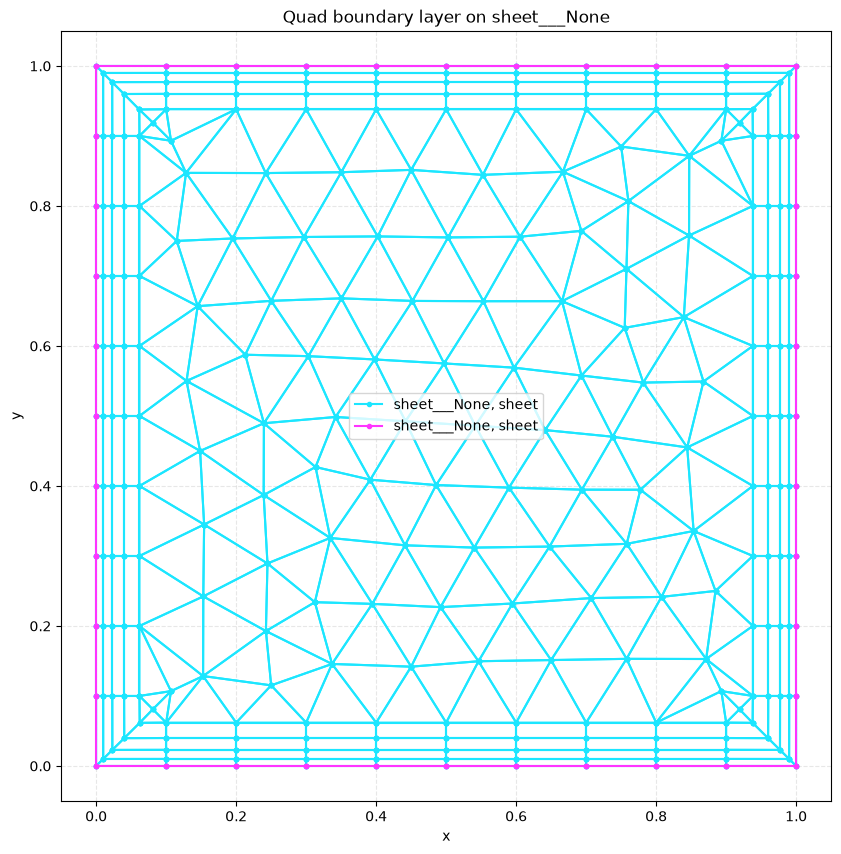
A graded quad boundary layer on a region’s outer boundary#
sheet = PolySurface(
    polygons=shapely.box(0, 0, 1, 1), physical_name="sheet", mesh_order=1
)
bl_mesh = generate_mesh(
    entities=[sheet],
    dim=2,
    output_mesh="boundary_layer_quad.msh",
    default_characteristic_length=0.1,
    resolution_specs={
        "sheet___None": [
            BoundaryLayerResolutionSpec(
                size=0.01, thickness=0.08, ratio=1.3, quads=True
            )
        ],
    },
)
n_quad = sum(cb.data.shape[0] for cb in bl_mesh.cells if cb.type == "quad")
print(f"quad cells in the layer: {n_quad}")
plot2D(bl_mesh, title="Quad boundary layer on sheet___None", wireframe=True)
Info    : Clearing all models and views...
Info    : Done clearing all models and views
Info    : Reading '/tmp/tmp_uy66qcx/cad.xao'...
Info    : Done reading '/tmp/tmp_uy66qcx/cad.xao'
quad cells in the layer: 160
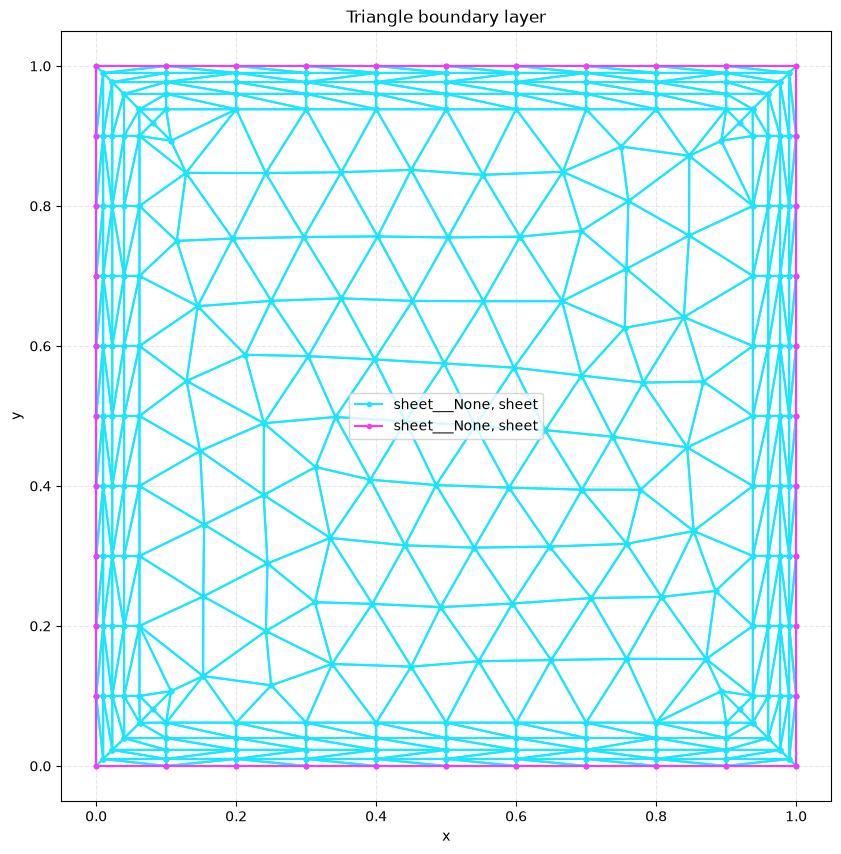
Triangle layer (quads=False)#
tri_mesh = generate_mesh(
    entities=[
        PolySurface(
            polygons=shapely.box(0, 0, 1, 1), physical_name="sheet", mesh_order=1
        )
    ],
    dim=2,
    output_mesh="boundary_layer_tri.msh",
    default_characteristic_length=0.1,
    resolution_specs={
        "sheet___None": [
            BoundaryLayerResolutionSpec(
                size=0.01, thickness=0.08, ratio=1.3, quads=False
            )
        ],
    },
)
plot2D(tri_mesh, title="Triangle boundary layer", wireframe=True)
Info    : Clearing all models and views...
Info    : Done clearing all models and views
Info    : Reading '/tmp/tmpyk3hc2fl/cad.xao'...
Info    : Done reading '/tmp/tmpyk3hc2fl/cad.xao'
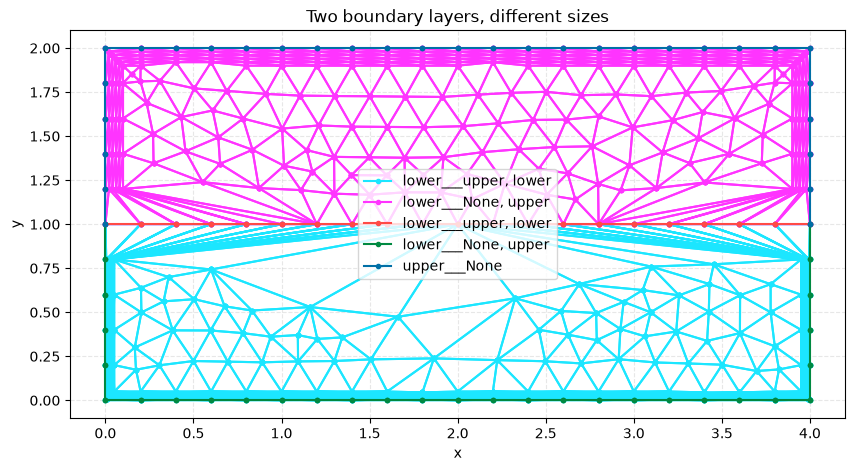
Two independent boundary layers with different parameters#
Each BoundaryLayerResolutionSpec becomes its own gmsh boundary-layer field, so different curves can carry different first-layer sizes / thicknesses.
two = generate_mesh(
    entities=[
        PolySurface(
            polygons=shapely.box(0, 0, 4, 1), physical_name="lower", mesh_order=2
        ),
        PolySurface(
            polygons=shapely.box(0, 1, 4, 2), physical_name="upper", mesh_order=1
        ),
    ],
    dim=2,
    output_mesh="boundary_layer_two.msh",
    default_characteristic_length=0.2,
    resolution_specs={
        "lower___None": [BoundaryLayerResolutionSpec(size=0.005, thickness=0.05)],
        "upper___None": [BoundaryLayerResolutionSpec(size=0.02, thickness=0.1)],
    },
)
plot2D(two, title="Two boundary layers, different sizes", wireframe=True)
Info    : Clearing all models and views...
Info    : Done clearing all models and views
Info    : Reading '/tmp/tmp1ofjf5ig/cad.xao'...
Info    : Done reading '/tmp/tmp1ofjf5ig/cad.xao'
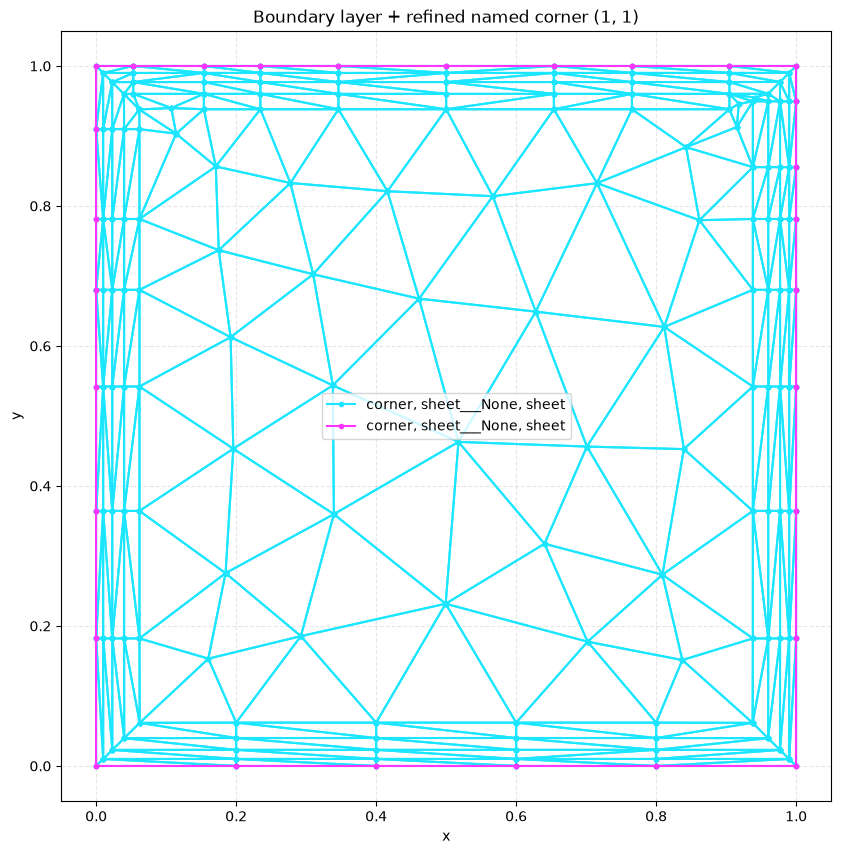
Naming the convex corner where a boundary layer wraps#
A boundary layer growing off sheet___None has to negotiate the sharp convex
corners of the box. You can name such a corner with a 0D OCC_entity (see
notebook 10): build a vertex, set dimension=0 and a physical_name. The
named vertex survives fragmentation and becomes a named mesh node, so it can
carry its own resolution spec – here ConstantInField refines the mesh
locally at the corner while the boundary layer grows off the walls. This
named-point recipe is also the building block for the planned fan points
feature (wrapping graded layers around the corner).
corner = OCC_entity(
    occ_function=lambda: BRepBuilderAPI_MakeVertex(gp_Pnt(1.0, 1.0, 0.0)).Vertex(),
    physical_name="corner",
    dimension=0,
)
corner_mesh = generate_mesh(
    entities=[
        PolySurface(
            polygons=shapely.box(0, 0, 1, 1), physical_name="sheet", mesh_order=1
        ),
        corner,
    ],
    dim=2,
    output_mesh="boundary_layer_corner.msh",
    default_characteristic_length=0.2,
    resolution_specs={
        "sheet___None": [
            BoundaryLayerResolutionSpec(size=0.01, thickness=0.08, ratio=1.3)
        ],
        "corner": [ConstantInField(apply_to="points", resolution=0.02)],
    },
)
print("named corner is a mesh node:", "corner" in corner_mesh.cell_sets)
plot2D(
    corner_mesh, title="Boundary layer + refined named corner (1, 1)", wireframe=True
)
Info    : Clearing all models and views...
Info    : Done clearing all models and views
Info    : Reading '/tmp/tmp2wwbs09_/cad.xao'...
Info    : Done reading '/tmp/tmp2wwbs09_/cad.xao'
named corner is a mesh node: True
Notes and limitations#
Full gmsh passthrough:
size,thickness,ratio,quads, and the optionalsize_far,nb_layers,intersect_metrics,aniso_max,beta.quads=Trueemits quadrilateral layers; to split them into triangles downstream, callgmsh.model.mesh.splitQuadrangles().A boundary layer and a
StructuredSweepcannot share a model (the sweep setsMesh.MeshOnlyEmpty=1, which suppresses boundary-layer generation) – meshwell raises a clear error if both are requested.Fan points (wrapping a layer around a sharp convex vertex) are a planned follow-up; the named 0D point they build on is shown above and in notebook 10.