GMSH#
Since meshwell is a wrapper around GMSH, we will first review GMSH Python API. For a more thorough explanation of the below, see the GMSH documentation (https://gmsh.info/doc/texinfo/gmsh.html), tutorials (https://gitlab.onelab.info/gmsh/gmsh/-/tree/master/tutorials/python) and API (https://gitlab.onelab.info/gmsh/gmsh/-/blob/master/api/gmsh.py?ref_type=heads).
import gmsh
import meshio

from meshwell.visualization import plot2D
/home/runner/work/meshwell/meshwell/.venv/lib/python3.12/site-packages/tqdm/auto.py:21: TqdmWarning: IProgress not found. Please update jupyter and ipywidgets. See https://ipywidgets.readthedocs.io/en/stable/user_install.html
  from .autonotebook import tqdm as notebook_tqdm
Bottom-up construction of CAD entities#
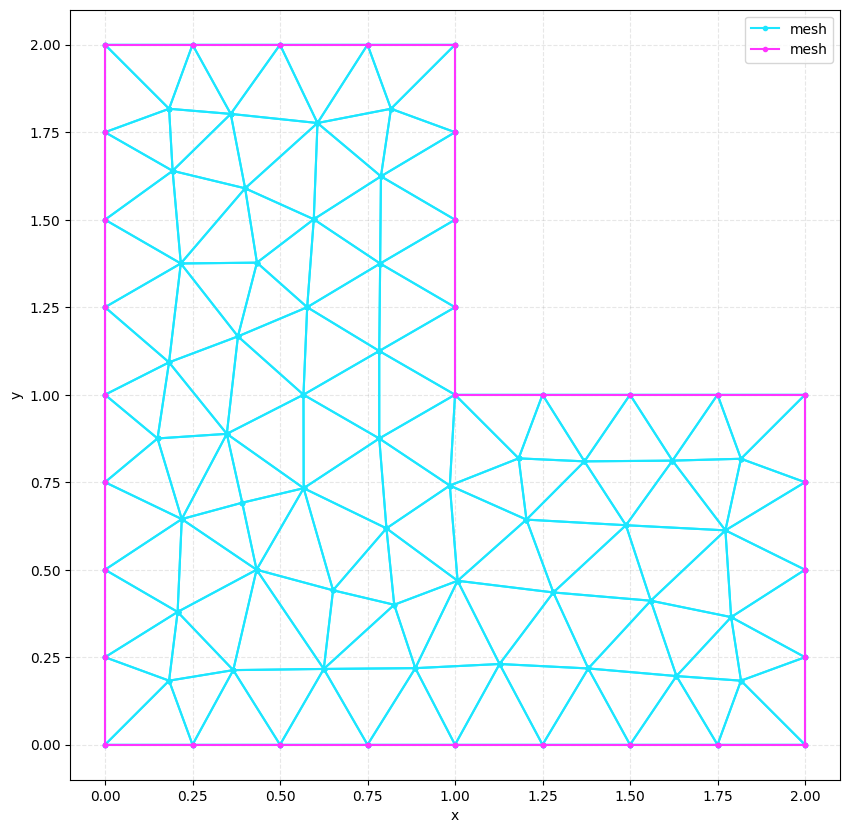
The most general way to create CAD entities in GMSH is “bottom-up”, going from points –> lines –> closed loops –> surfaces –> closed shells –> volumes
# Initialize GMSH
gmsh.initialize()
model = gmsh.model
model.add("bottom_up")

# Create points
p1 = model.occ.addPoint(0, 0, 0)
p2 = model.occ.addPoint(2, 0, 0)
p3 = model.occ.addPoint(2, 1, 0)
p4 = model.occ.addPoint(1, 1, 0)
p5 = model.occ.addPoint(1, 2, 0)
p6 = model.occ.addPoint(0, 2, 0)

# Create lines
l1 = model.occ.addLine(p1, p2)
l2 = model.occ.addLine(p2, p3)
l3 = model.occ.addLine(p3, p4)
l4 = model.occ.addLine(p4, p5)
l5 = model.occ.addLine(p5, p6)
l6 = model.occ.addLine(p6, p1)

# Create curve loop
cl = model.occ.addCurveLoop([l1, l2, l3, l4, l5, l6])

# Create surface
s1 = model.occ.addPlaneSurface([cl])

# Create the mesh
model.occ.synchronize()
model.mesh.generate(2)

gmsh.write("bottom_up.xao")
gmsh.write("bottom_up.msh")
gmsh.finalize()

# Read the mesh
mesh = meshio.read("bottom_up.msh")
Info    : Meshing 1D...
Info    : [  0%] Meshing curve 1 (Line)
Info    : [ 20%] Meshing curve 2 (Line)
Info    : [ 40%] Meshing curve 3 (Line)
Info    : [ 60%] Meshing curve 4 (Line)
Info    : [ 70%] Meshing curve 5 (Line)
Info    : [ 90%] Meshing curve 6 (Line)
Info    : Done meshing 1D (Wall 0.000514052s, CPU 0.000969s)
Info    : Meshing 2D...
Info    : Meshing surface 1 (Plane, Frontal-Delaunay)
Info    : Done meshing 2D (Wall 0.00388602s, CPU 0.003961s)
Info    : 79 nodes 162 elements
Info    : Writing 'bottom_up.xao'...
Info    : Done writing 'bottom_up.xao'
Info    : Writing 'bottom_up.msh'...
Info    : Done writing 'bottom_up.msh'
try:
    gmsh.initialize()
    gmsh.open("bottom_up.xao")
    gmsh.fltk.run()
except:  # noqa: E722
    print("Skipping CAD GUI visualization - only available when running locally")
Info    : Reading 'bottom_up.xao'...
Info    : Done reading 'bottom_up.xao'
Skipping CAD GUI visualization - only available when running locally
Error : Can't open display: (FLTK internal error)
try:
    gmsh.initialize()
    gmsh.open("bottom_up.msh")
    gmsh.fltk.run()
except:  # noqa: E722
    print("Skipping mesh GUI visualization - only available when running locally")
Info    : Reading 'bottom_up.msh'...
Info    : 13 entities
Info    : 79 nodes
Skipping mesh GUI visualization - only available when running locally
Warning : Gmsh has aleady been initialized
Info    : 162 elements
Info    : Done reading 'bottom_up.msh'
Error : Can't open display: (FLTK internal error)
plot2D(mesh, wireframe=True)
Construction of CAD entities from primitives#
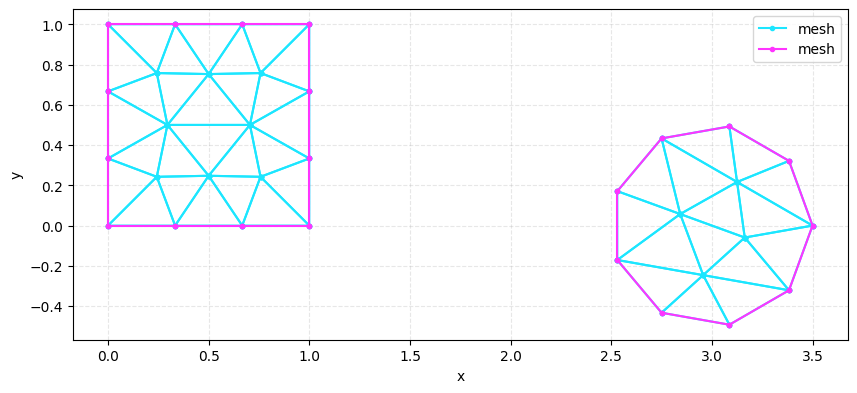
A limited set of primitives (rectangles, circles, arcs, spheres, boxes, etc.) are also already implemented in GMSH:
gmsh.initialize()
model = gmsh.model
model.add("bottom_up")

# Create rectangle
box = model.occ.addRectangle(0, 0, 0, 1, 1)

# Create circle
circle = model.occ.addDisk(3, 0, 0, 0.5, 0.5)

# Create the mesh
model.occ.synchronize()
model.mesh.generate(2)
gmsh.write("primitives.msh")
gmsh.finalize()
Info    : Meshing 1D...
Info    : [  0%] Meshing curve 1 (Line)
Info    : [ 30%] Meshing curve 2 (Line)
Info    : [ 50%] Meshing curve 3 (Line)
Info    : [ 70%] Meshing curve 4 (Line)
Info    : [ 90%] Meshing curve 5 (Ellipse)
Info    : Done meshing 1D (Wall 0.000454461s, CPU 0.000602s)
Info    : Meshing 2D...
Info    : [  0%] Meshing surface 1 (Plane, Frontal-Delaunay)
Info    : [ 60%] Meshing surface 2 (Plane, Frontal-Delaunay)
Info    : Done meshing 2D (Wall 0.00263508s, CPU 0.002723s)
Info    : 33 nodes 67 elements
Info    : Writing 'primitives.msh'...
Info    : Done writing 'primitives.msh'
Warning : Gmsh has aleady been initialized
mesh = meshio.read("primitives.msh")
plot2D(mesh, wireframe=True)
Constructive geometry operations#
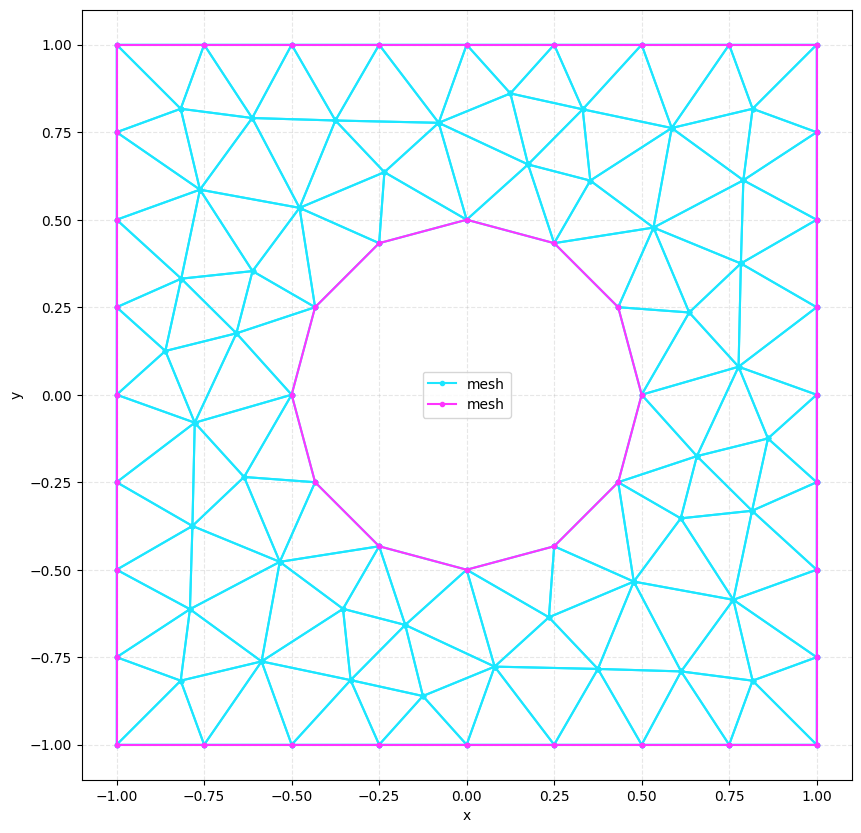
More complex elementary entities can also be created from constructive geometry operations (cut, fuse, intersect):
gmsh.initialize()
model = gmsh.model
model.add("bottom_up")

# Create rectangle
box = model.occ.addRectangle(-1, -1, 0, 2, 2)

# Create circle
circle = model.occ.addDisk(0, 0, 0, 0.5, 0.5)

# Keep difference, delete originals
difference = model.occ.cut(
    [(2, box)], [(2, circle)], removeObject=True, removeTool=True
)

# Create the mesh
model.occ.synchronize()
model.mesh.generate(2)
gmsh.write("booleans.msh")
gmsh.finalize()
Info    : [  0%] Difference
Info    : [ 10%] Difference
Info    : [ 20%] Difference
Info    : [ 30%] Difference - Performing Face-Face intersection
Info    : [ 70%] Difference - Performing intersection of shapes
Info    : [ 80%] Difference - Making faces
Info    : [ 90%] Difference - Adding holes

Info    : Meshing 1D...
Info    : [  0%] Meshing curve 5 (Ellipse)
Info    : [ 30%] Meshing curve 6 (Line)
Info    : [ 50%] Meshing curve 7 (Line)
Info    : [ 70%] Meshing curve 8 (Line)
Info    : [ 90%] Meshing curve 9 (Line)
Info    : Done meshing 1D (Wall 0.000455493s, CPU 0.000517s)
Info    : Meshing 2D...
Info    : Meshing surface 1 (Plane, Frontal-Delaunay)
Info    : Done meshing 2D (Wall 0.00193993s, CPU 0.000977s)
Info    : 88 nodes 181 elements
Info    : Writing 'booleans.msh'...
Info    : Done writing 'booleans.msh'
mesh = meshio.read("booleans.msh")
plot2D(mesh, wireframe=True)
Physical entities#
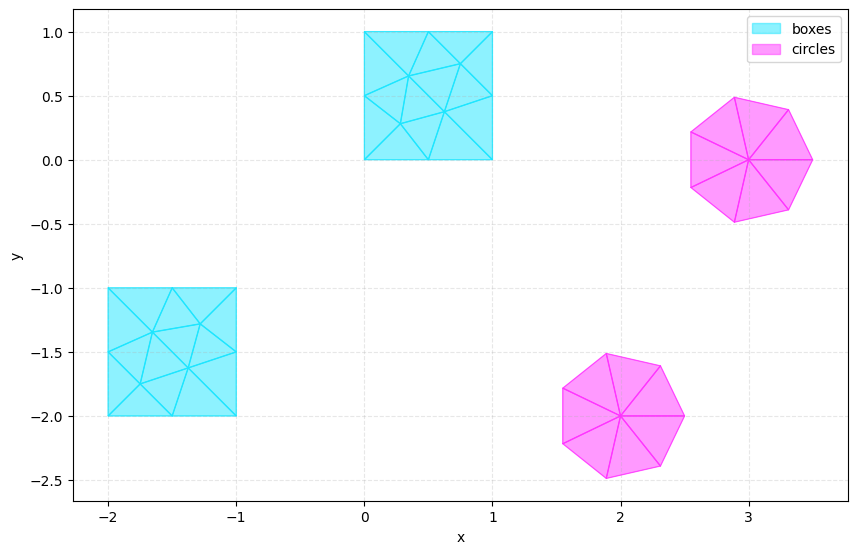
It is almost always extremely useful to be able to refer to all of the mesh nodes within a set of elementary entities. In GMSH, this is achieved by assigning a “physical” group to a set of elementary entities:
gmsh.initialize()
model = gmsh.model
model.add("physicals")

# Create rectangle
box1 = model.occ.addRectangle(0, 0, 0, 1, 1)
box2 = model.occ.addRectangle(-2, -2, 0, 1, 1)

# Create circle
circle1 = model.occ.addDisk(3, 0, 0, 0.5, 0.5)
circle2 = model.occ.addDisk(2, -2, 0, 0.5, 0.5)

model.occ.synchronize()

# Create physical groups
model.addPhysicalGroup(2, [box1, box2], tag=1, name="boxes")
model.addPhysicalGroup(2, [circle1, circle2], tag=2, name="circles")

# Create the mesh
model.occ.synchronize()
model.mesh.generate(2)
gmsh.write("physicals.msh")
gmsh.finalize()
Info    : Meshing 1D...
Info    : [  0%] Meshing curve 1 (Line)
Info    : [ 20%] Meshing curve 2 (Line)
Info    : [ 30%] Meshing curve 3 (Line)
Info    : [ 40%] Meshing curve 4 (Line)
Info    : [ 50%] Meshing curve 5 (Line)
Info    : [ 60%] Meshing curve 6 (Line)
Info    : [ 70%] Meshing curve 7 (Line)
Info    : [ 80%] Meshing curve 8 (Line)
Info    : [ 90%] Meshing curve 9 (Ellipse)
Info    : [100%] Meshing curve 10 (Ellipse)
Info    : Done meshing 1D (Wall 0.000755755s, CPU 0.001223s)
Info    : Meshing 2D...
Info    : [  0%] Meshing surface 1 (Plane, Frontal-Delaunay)
Info    : [ 30%] Meshing surface 2 (Plane, Frontal-Delaunay)
Info    : [ 60%] Meshing surface 3 (Plane, Frontal-Delaunay)
Info    : [ 80%] Meshing surface 4 (Plane, Frontal-Delaunay)
Info    : Done meshing 2D (Wall 0.00372619s, CPU 0.002899s)
Info    : 40 nodes 82 elements
Info    : Writing 'physicals.msh'...
Info    : Done writing 'physicals.msh'
mesh = meshio.read("physicals.msh")
plot2D(mesh, ignore_lines=True)
The sharp bits#
Conflicting entities#
When adding elementary entities, overlaps and interfaces are not “merged” by default: the entities will overlap and will be meshed separately. The resulting sub-meshes will not be connected.
Keeping track of integers#
Whenever entities are created / transformed (e.g. when healing interfaces), there can be reassignment of the integer tags used to label them. In the official tutorials, entity tags are re-identified based on some characteristic like bounding extent to later assign to physical groups.