Polysurfaces#
The first object introduced by meshwell is the PolySurface, which adds a CAD constructor for shapely (multi)polygons.
import matplotlib.pyplot as plt
import shapely

from meshwell.cad_occ import cad_occ
from meshwell.mesh import mesh
from meshwell.occ_xao_writer import write_xao
from meshwell.polysurface import PolySurface
from meshwell.visualization import plot2D
/home/runner/work/meshwell/meshwell/.venv/lib/python3.12/site-packages/tqdm/auto.py:21: TqdmWarning: IProgress not found. Please update jupyter and ipywidgets. See https://ipywidgets.readthedocs.io/en/stable/user_install.html
  from .autonotebook import tqdm as notebook_tqdm
# We use shapely as an API to enter (multi)polygons

# Initialize GMSH and create the mesh
polygon1 = shapely.Polygon(
    [[0, 0], [2, 0], [2, 2], [0, 2], [0, 0]],
    holes=([[0.5, 0.5], [1.5, 0.5], [1.5, 1.5], [0.5, 1.5], [0.5, 0.5]],),
)
polygon2 = shapely.Polygon([[-1, -1], [-2, -1], [-2, -2], [-1, -2], [-1, -1]])
polygon = shapely.MultiPolygon([polygon1, polygon2])
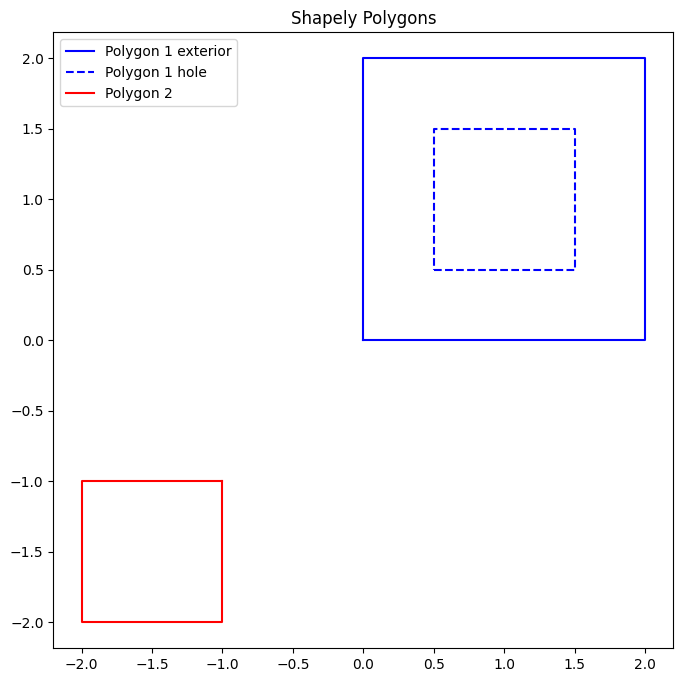
View the polygons:
plt.figure(figsize=(8, 8))
plt.plot(*polygon1.exterior.xy, "b-", label="Polygon 1 exterior")
plt.plot(*polygon1.interiors[0].xy, "b--", label="Polygon 1 hole")
plt.plot(*polygon2.exterior.xy, "r-", label="Polygon 2")
plt.axis("equal")
plt.title("Shapely Polygons")
plt.legend()
plt.show()
Input the polygons into meshwell objects:
poly2D = PolySurface(
    polygons=polygon,
    physical_name="my_polysurface1",
)

entities_list = [poly2D]
First, generate a CAD representation:
write_xao(cad_occ(entities_list), "polysurface.xao")
Then generate a mesh from the CAD:
output_mesh = mesh(
    dim=2,
    input_file="polysurface.xao",
    output_file="polysurface.msh",
    default_characteristic_length=100,
)
Info    : Clearing all models and views...
Info    : Done clearing all models and views
Info    : Reading 'polysurface.xao'...
Info    : Done reading 'polysurface.xao'
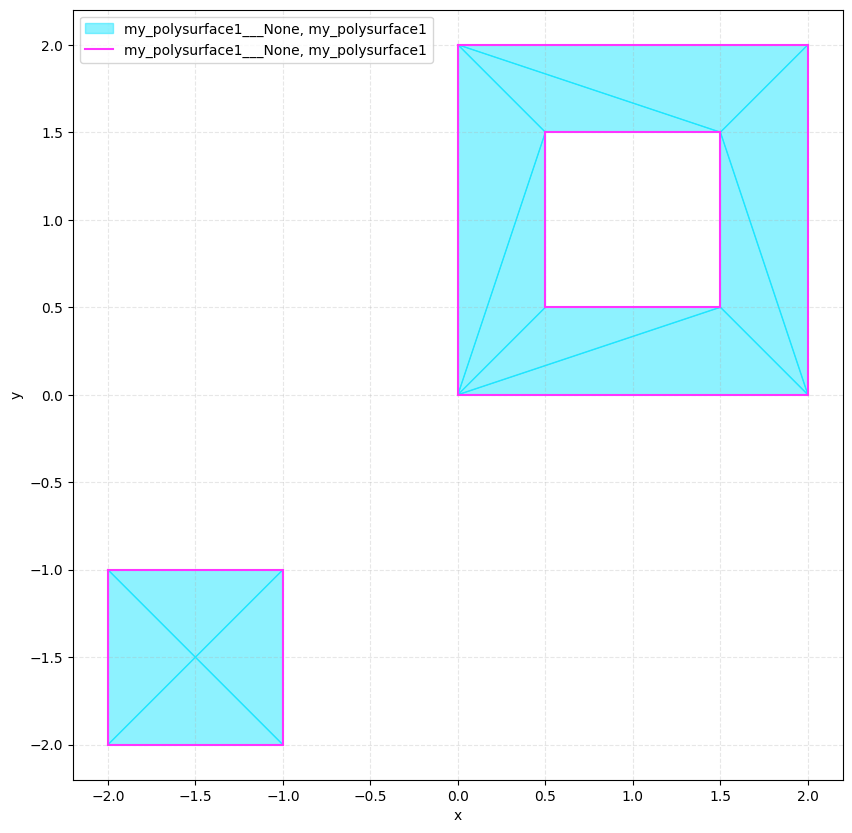
# View the mesh:

plot2D(output_mesh, wireframe=False)
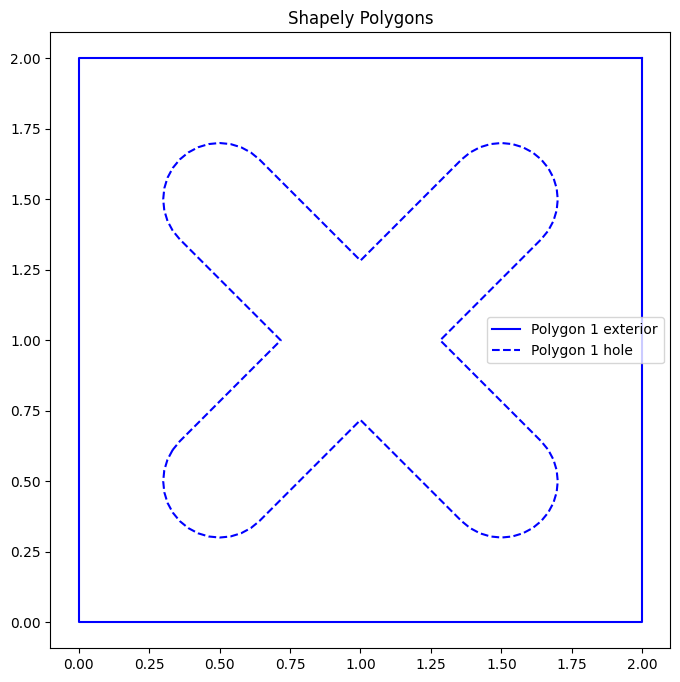
Shapely is a convenient interface to draw complicated polygons:
polygon_hull = shapely.Polygon(
    [[0, 0], [2, 0], [2, 2], [0, 2], [0, 0]],
)
line1 = shapely.LineString([[0.5, 0.5], [1.5, 1.5]])
polygon_hole1 = shapely.buffer(line1, 0.2)
line2 = shapely.LineString([[1.5, 0.5], [0.5, 1.5]])
polygon_hole2 = shapely.buffer(line2, 0.2)
polygon = polygon_hull - polygon_hole1 - polygon_hole2
plt.figure(figsize=(8, 8))
plt.plot(*polygon.exterior.xy, "b-", label="Polygon 1 exterior")
plt.plot(*polygon.interiors[0].xy, "b--", label="Polygon 1 hole")
plt.axis("equal")
plt.title("Shapely Polygons")
plt.legend()
plt.show()
poly2D = PolySurface(
    polygons=polygon,
    physical_name="complicated",
)

entities_list = [poly2D]

write_xao(cad_occ(entities_list), "complicated.xao")

output_mesh = mesh(
    dim=2,
    input_file="complicated.xao",
    output_file="complicated.msh",
    n_threads=1,
    default_characteristic_length=100,
)
Info    : Clearing all models and views...
Info    : Done clearing all models and views
Info    : Reading 'complicated.xao'...
Info    : Done reading 'complicated.xao'
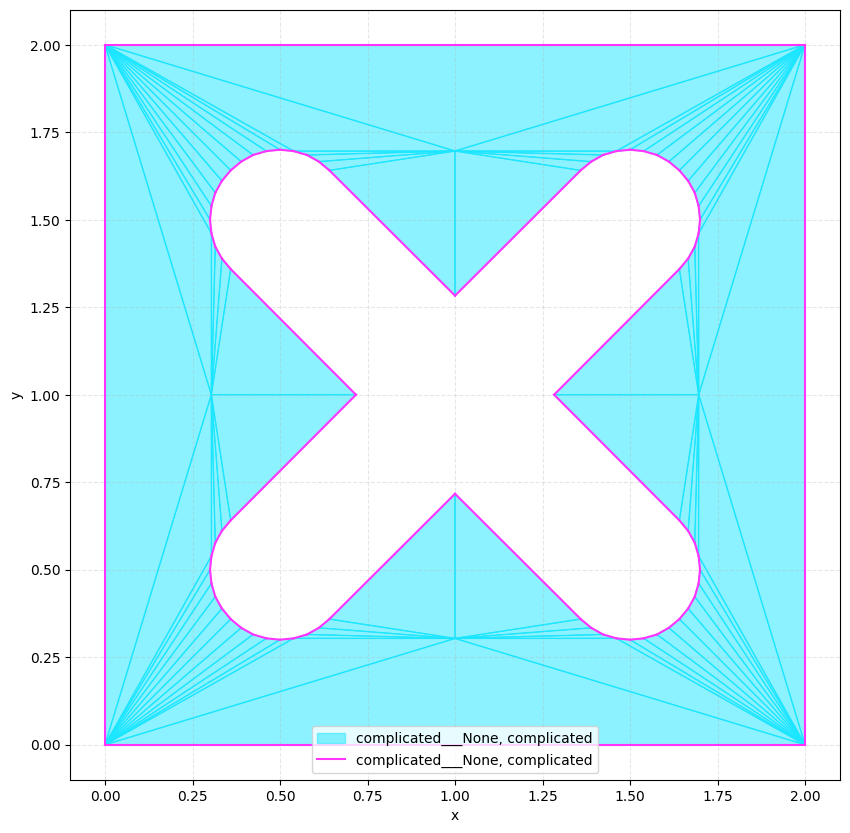
plot2D(output_mesh, wireframe=False)