Specifying resolutions#
When defining entities, ResolutionSpecs can be attached to control the mesh size within or near the entity and its boundaries.
from collections import OrderedDict

import shapely

from meshwell.cad_occ import cad_occ
from meshwell.mesh import mesh
from meshwell.occ_xao_writer import write_xao
from meshwell.polysurface import PolySurface
from meshwell.resolution import ConstantInField, ExponentialField, ThresholdField
from meshwell.visualization import plot2D
/home/runner/work/meshwell/meshwell/.venv/lib/python3.12/site-packages/tqdm/auto.py:21: TqdmWarning: IProgress not found. Please update jupyter and ipywidgets. See https://ipywidgets.readthedocs.io/en/stable/user_install.html
  from .autonotebook import tqdm as notebook_tqdm
Default characteristic length#
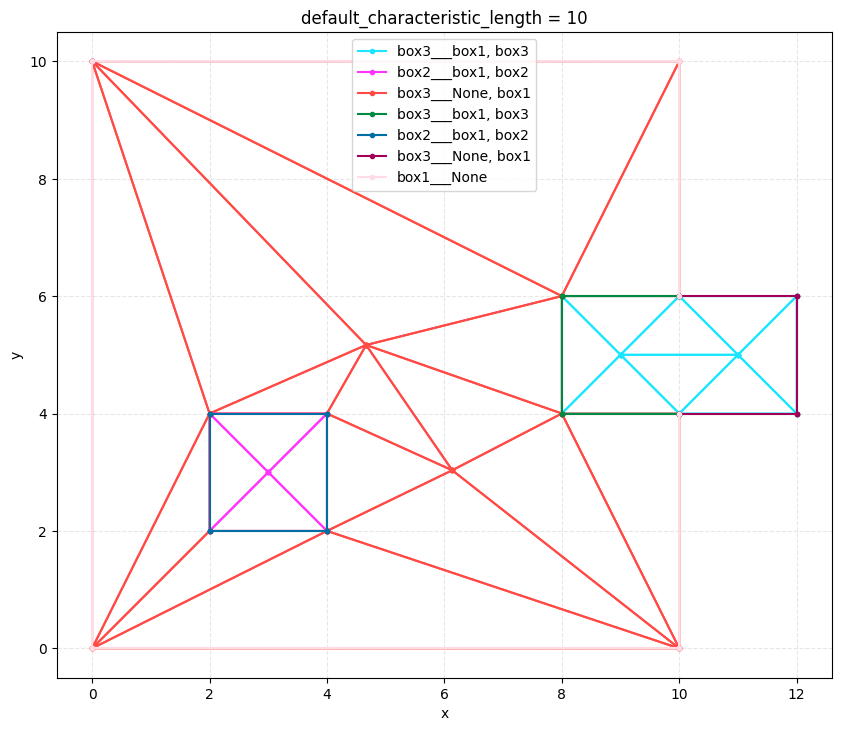
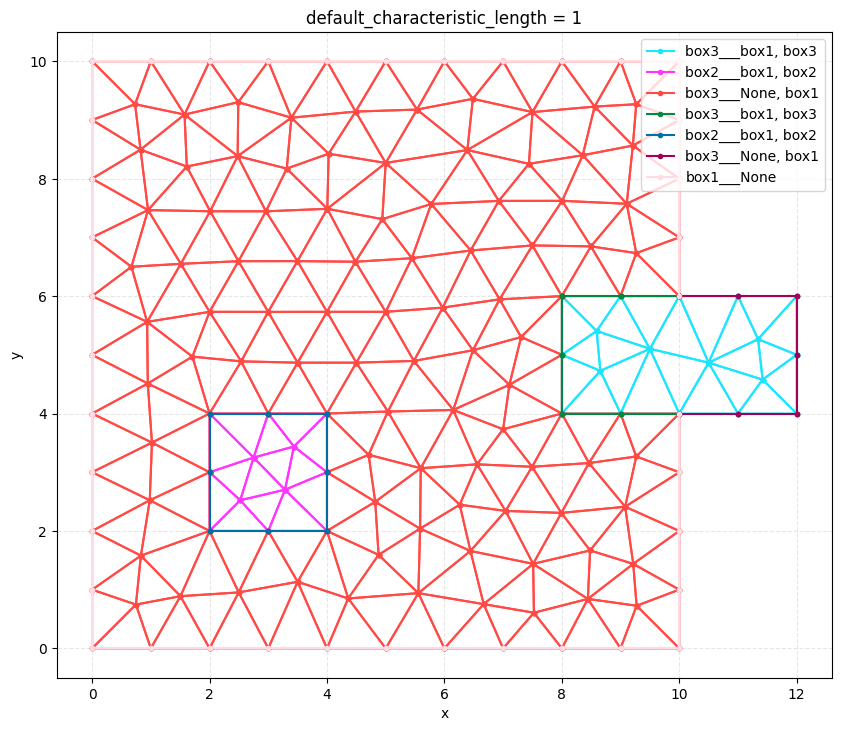
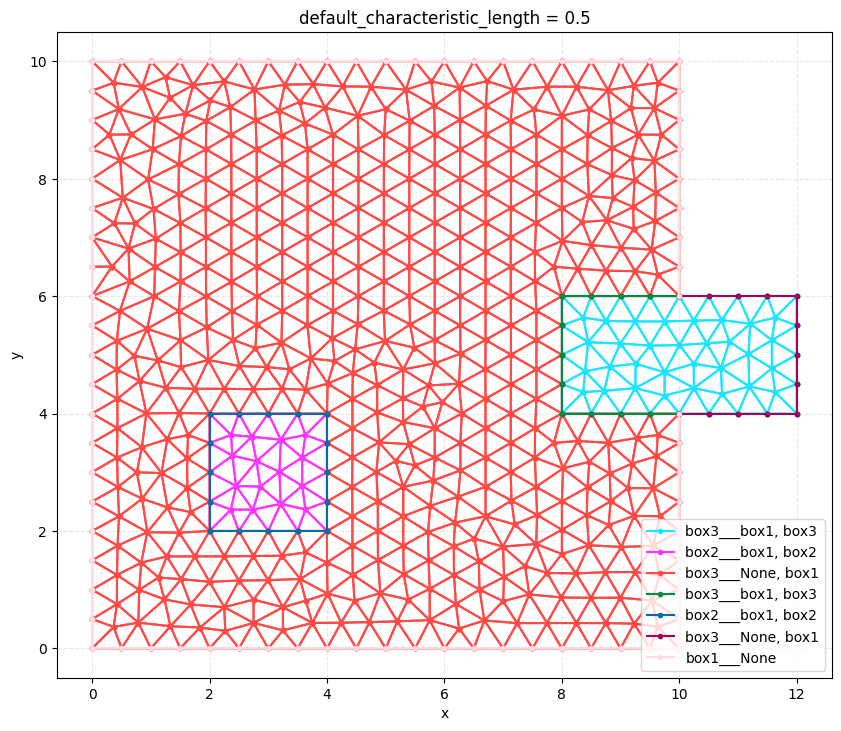
When creating a Model mesh, default_characteristic_length is used to set the default mesh size.
box1 = shapely.box(0, 0, 10, 10)
box2 = shapely.box(2, 2, 4, 4)
box3 = shapely.box(8, 4, 12, 6)

boxes = OrderedDict()
boxes["box3"] = box3
boxes["box2"] = box2
boxes["box1"] = box1

polysurfaces = []
for i, (box_name, box) in enumerate(boxes.items()):
    polysurfaces.append(
        PolySurface(
            polygons=box,
            physical_name=box_name,
            mesh_order=i,
        )
    )

write_xao(cad_occ(polysurfaces), "model.xao")
for default_characteristic_length in [10, 1, 0.5]:
    output_mesh = mesh(
        dim=2,
        input_file="model.xao",
        output_file="default_resolution.msh",
        n_threads=1,
        default_characteristic_length=default_characteristic_length,
    )

    plot2D(
        output_mesh,
        title=f"default_characteristic_length = {default_characteristic_length}",
        wireframe=True,
    )
Info    : Clearing all models and views...
Info    : Done clearing all models and views
Info    : Reading 'model.xao'...
Info    : Done reading 'model.xao'
Info    : Clearing all models and views...
Info    : Done clearing all models and views
Info    : Reading 'model.xao'...
Info    : Done reading 'model.xao'
Info    : Clearing all models and views...
Info    : Done clearing all models and views
Info    : Reading 'model.xao'...
Info    : Done reading 'model.xao'
Constant Resolution#
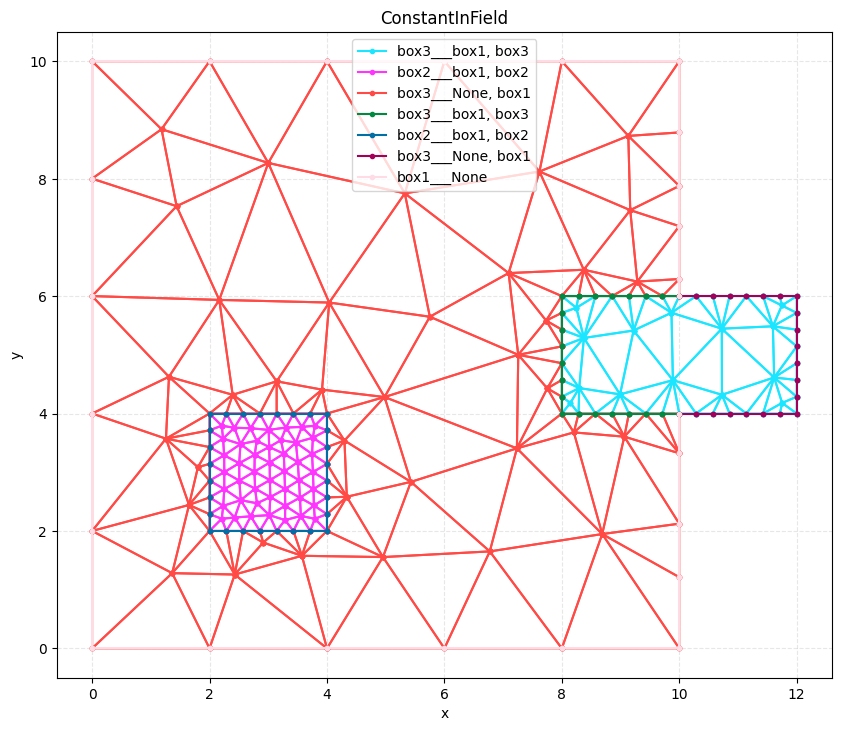
Constant resolution can be assigned within entities or their boundaries using ConstantInField specification.
output_mesh = mesh(
    dim=2,
    input_file="model.xao",
    output_file="constant_resolution.msh",
    n_threads=1,
    default_characteristic_length=2,
    resolution_specs={
        "box2": [ConstantInField(resolution=0.3, apply_to="surfaces")],
        "box3": [ConstantInField(resolution=0.3, apply_to="curves")],
    },
)

plot2D(output_mesh, title="ConstantInField", wireframe=True)
Info    : Clearing all models and views...
Info    : Done clearing all models and views
Info    : Reading 'model.xao'...
Info    : Done reading 'model.xao'
Threshold-based Resolution#
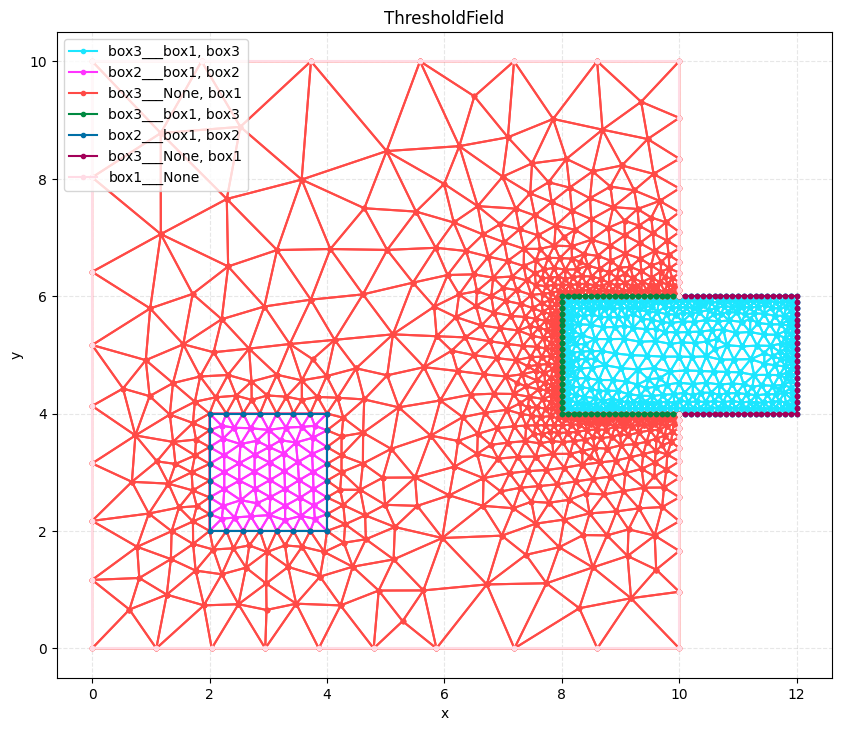
This creates a mesh that transitions from fine resolution near boundaries to coarse resolution away from them
output_mesh = mesh(
    dim=2,
    input_file="model.xao",
    output_file="threshold_resolution.msh",
    n_threads=1,
    default_characteristic_length=2,
    resolution_specs={
        "box2": [
            ThresholdField(sizemin=0.3, distmax=5, sizemax=2.0, apply_to="curves"),
            ConstantInField(resolution=0.3, apply_to="surfaces"),
        ],
        "box3": [
            ThresholdField(sizemin=0.1, distmax=2, sizemax=0.5, apply_to="curves"),
            ThresholdField(
                sizemin=0.5, distmax=5, sizemax=2, distmin=2, apply_to="curves"
            ),
        ],
    },
)


plot2D(output_mesh, title="ThresholdField", wireframe=True)
Info    : Clearing all models and views...
Info    : Done clearing all models and views
Info    : Reading 'model.xao'...
Info    : Done reading 'model.xao'
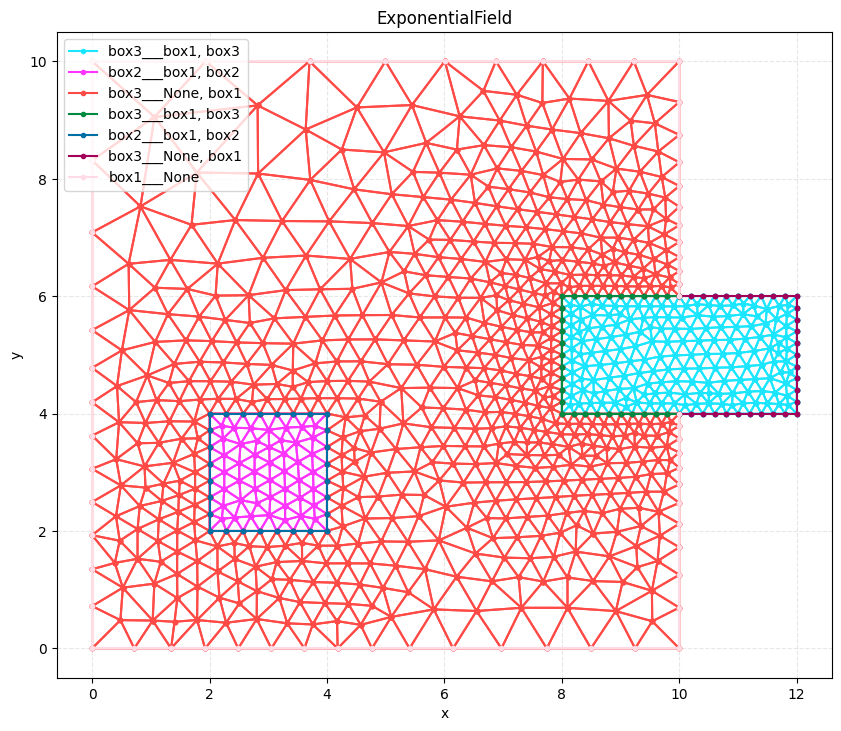
Exponential Resolution#
Creates a mesh with exponentially varying resolution based on distance from boundaries
output_mesh = mesh(
    dim=2,
    input_file="model.xao",
    output_file="exponential_resolution.msh",
    n_threads=1,
    default_characteristic_length=2,
    resolution_specs={
        "box2": [
            ExponentialField(
                sizemin=0.3, lengthscale=2, growth_factor=2.0, apply_to="curves"
            ),
            ConstantInField(resolution=0.3, apply_to="surfaces"),
        ],
        "box3": [
            ExponentialField(
                sizemin=0.2, lengthscale=2, growth_factor=2.0, apply_to="curves"
            ),
        ],
    },
)

plot2D(output_mesh, title="ExponentialField", wireframe=True)


# ## Background mesh
# It is also possible to pass a gmsh .pos file to fully parametrize the size field vs position. This is typically more useful once a physical solution has been calculated on an initial mesh, and a new size field has been calculated from the solution. Many solvers also have built-in remeshing, and hence only need an initial mesh before doing their own refinement
Info    : Clearing all models and views...
Info    : Done clearing all models and views
Info    : Reading 'model.xao'...
Info    : Done reading 'model.xao'